


API Keys and Webhooks
If your company integrates Assin with other systems (ERP, CRM, website), use API keys to send and query envelopes and webhooks to receive automatic notices when something happens. Everything is under Integrations in the side menu, with the API Keys and Webhook options.
Company only (PJ): This feature is not available on the individual account. See the difference in Using Assin as an individual.
This menu appears for companies with API access enabled on the plan. If you do not see it, talk to Support or your manager.
API Keys
1. In Integrations > API Keys, the list shows the Name, the Public Key, the Status (Active or Inactive), the creation and update dates and the Actions.
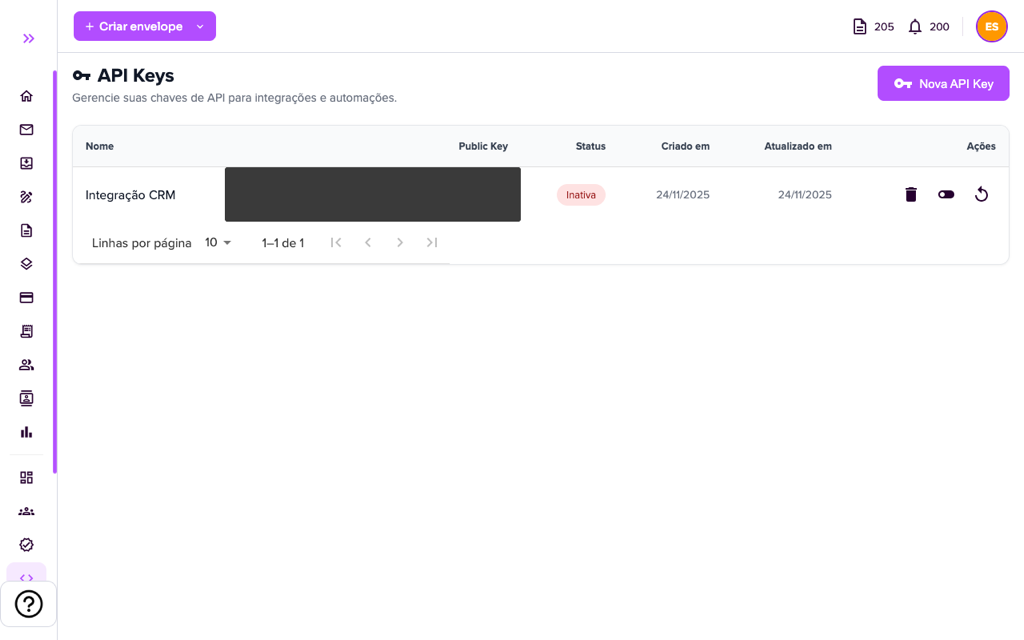
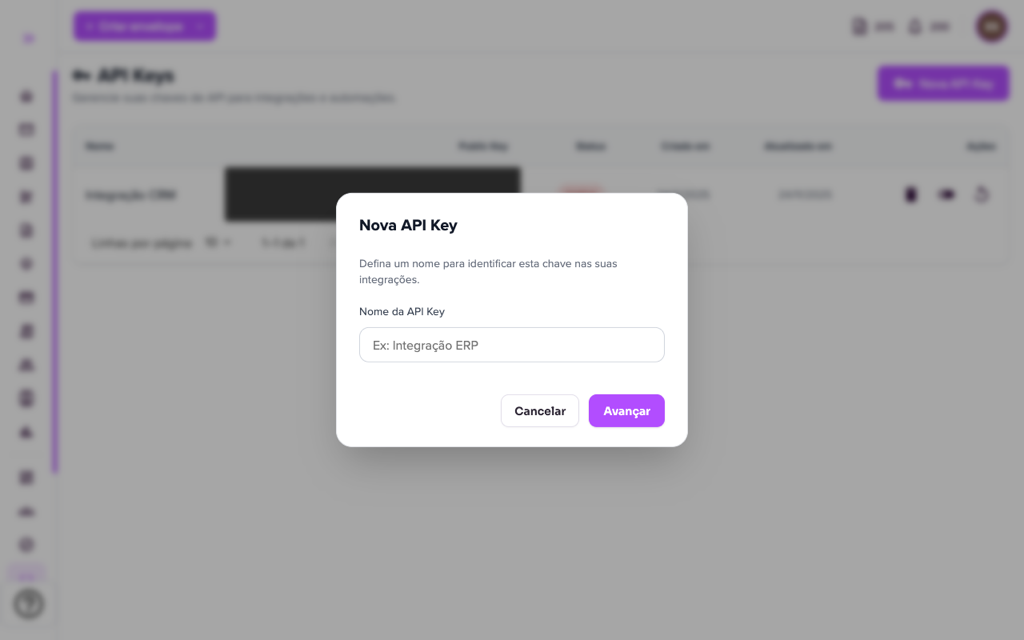
2. To create one, click “New API Key”, give it a name that identifies the integration (for example, “CRM integration”) and click “Next”. Copy the generated key and keep it in a safe place: it gives access to your company’s account.
3. Under Actions you can:
- Activate key / Deactivate key: turns the use of the key on or off without deleting it.
- Regenerate key: generates a new key in place of the current one. The action cannot be undone and integrations using the old key must be updated.
- Delete key: removes the key permanently.
Good practices: create one key per integration, never share the key by e-mail or chat and deactivate those you no longer use. Requests are made through Assin’s public API (documentation available to your development team).
Webhooks
A webhook is an address (URL) in your system that receives a notice from Assin when an event happens, for example, when an envelope is completed.
4. In Integrations > Webhook (Event destinations screen), the list shows the Endpoint URL, the Description and the Actions (edit and delete).
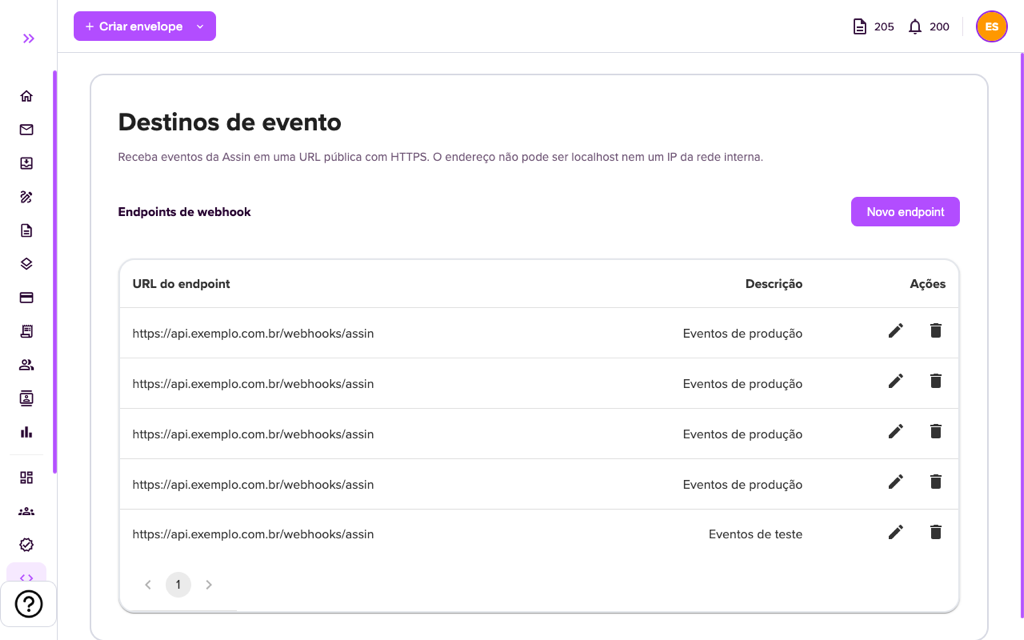
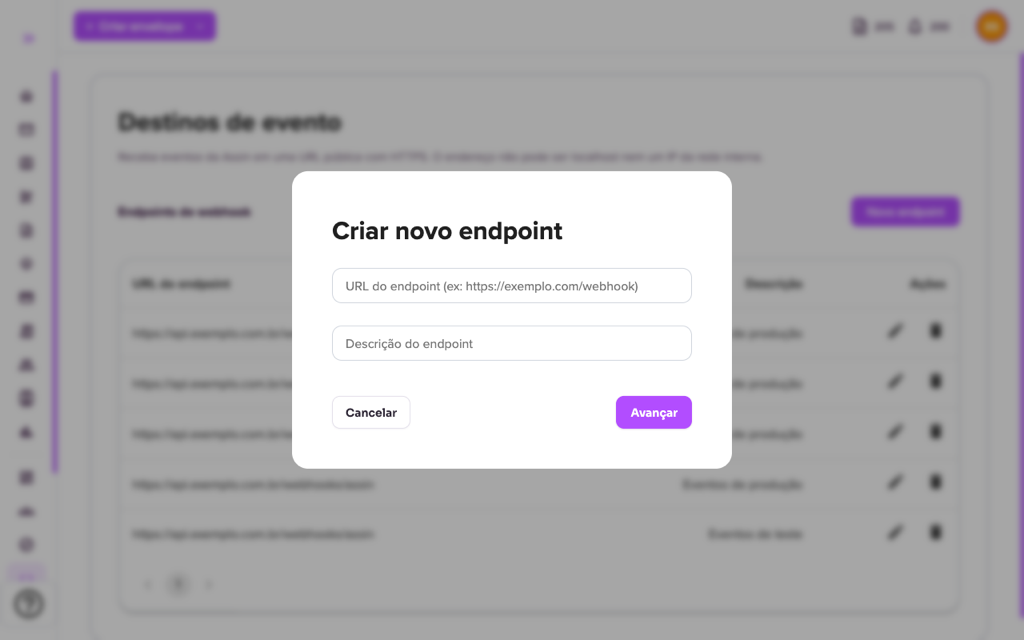
5. Click “New endpoint”, enter the URL and a description (up to 200 characters) and click “Next”. The URL must be public and use HTTPS: it cannot be localhost or an internal network IP.
6. Use the pencil to edit and the trash to delete an endpoint (the platform asks “Do you want to delete this endpoint?”). When opening an endpoint you also see the delivery history, with time and IP address.
Points of attention:
- Your server must respond with success (2xx code) and handle the same event safely in case it arrives more than once (idempotency).
- If your system is down, Assin records the failure in the endpoint log, but does not resend automatically.
For more information visit our website https://assin.com.br/
See how simple it is, Assin?
Assin Digital Signature
Was this article helpful?
Thanks for your feedback!