


Sign envelopes by Marker
The Marker feature allows you to sign multiple envelopes linked to the same category in a practical and organized way.
1. On the details screen, click the Sign button.

2. You will be redirected to a new screen containing all envelopes linked to the marker.
On this screen, the envelopes are displayed in a collapsible list format (accordion). Each item represents an envelope.
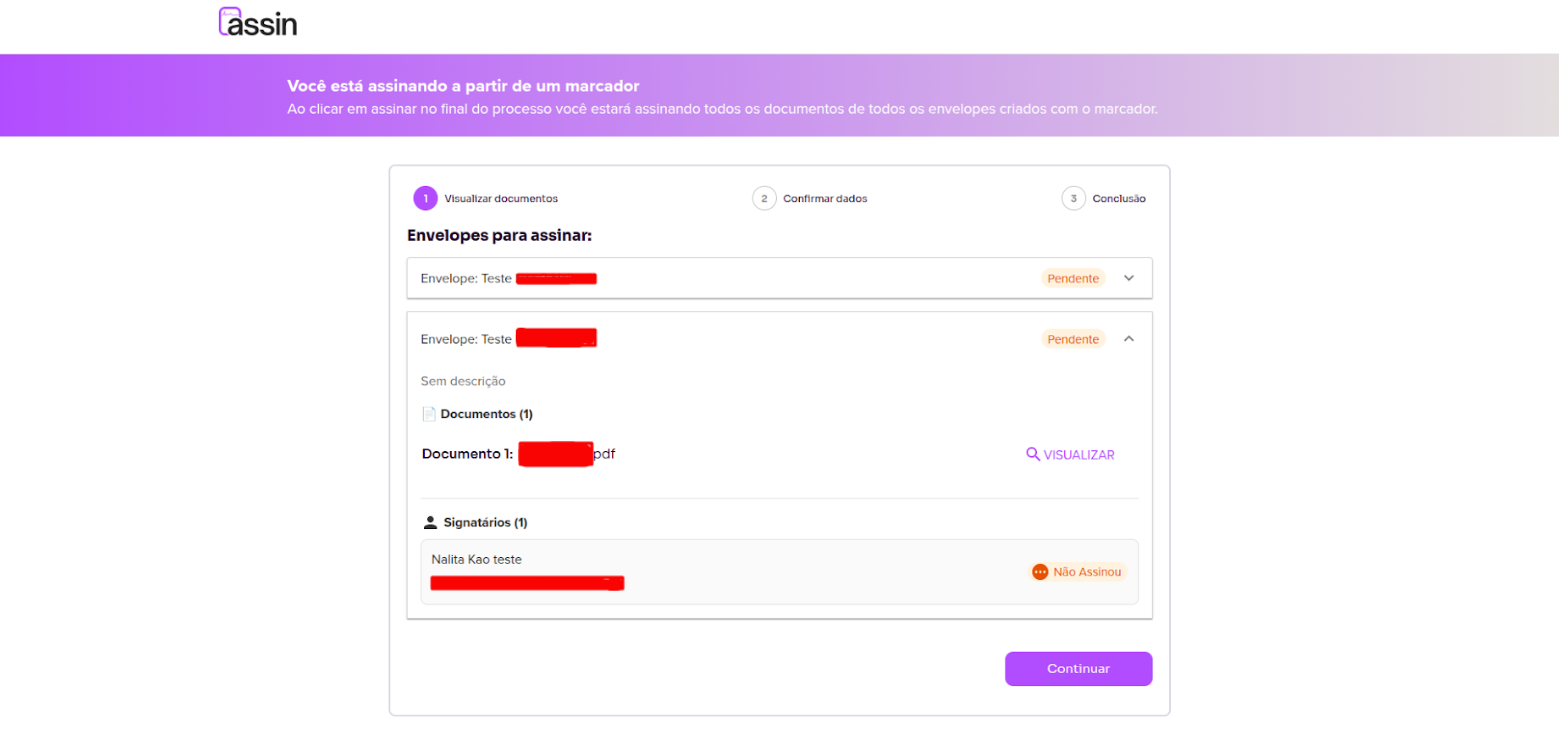
3. When expanding an envelope, you will be able to:
- View the documents
- Check the information
- Confirm your details
- Proceed with signing
The signing flow follows the same standard already used on the platform.
After completing the signature, the envelope will be automatically updated.
Now it’s even easier to organize and sign your documents using Markers!
For more information, visit our website https://assin.com.br/
See how simple Assin is?
Assin Digital Signature
Was this article helpful?
Thanks for your feedback!