


Block Envelope
You sealed the company contract envelope. After it was sent to your new client for signing, you noticed the contract amount was wrong. What to do now? Don’t worry: block the envelope and edit the necessary information. While it is blocked, your client cannot access it. Once you finish editing, you can unblock it and your client will be notified to sign the envelope with the corrected information.
This feature allows the envelope to be edited even after it has been sent to the signers. All involved signers will be notified, bringing more transparency to everyone.
But please note: the envelope can only be blocked if it has not yet been signed by any signer. If it has already been signed by at least one signer and you want to change any information, you will need to cancel the envelope and create a new one (see here how to Cancel envelope). The purpose of this is to ensure the integrity and security of the platform’s envelopes. A signed document cannot be modified.
Follow these steps to block your envelope:
1. Go to the Envelope Information page of the desired envelope.
2. At the top of the page, click “Block Envelope”.
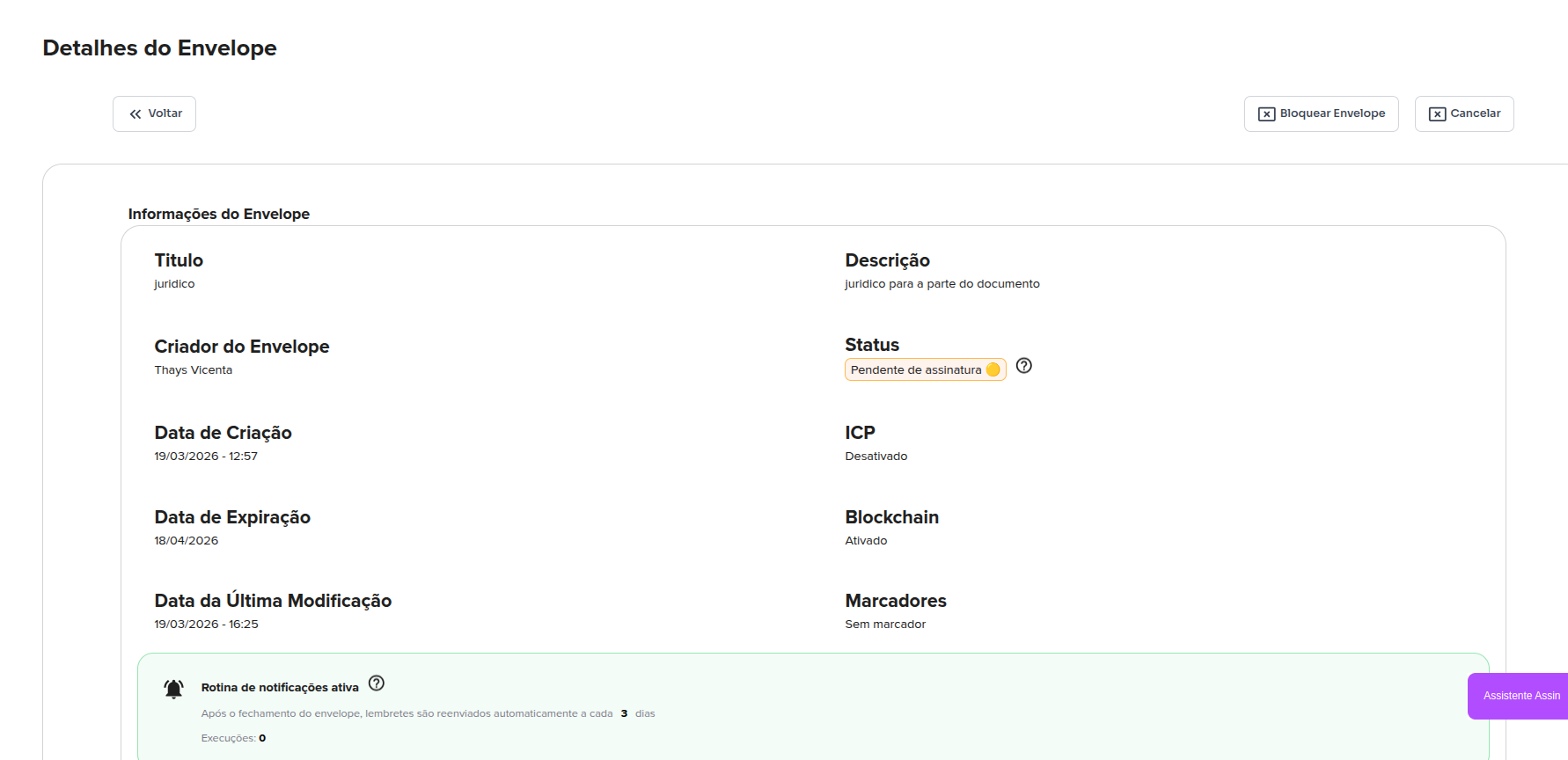
* Remember that signers will only be able to see the envelope again AFTER it is unblocked.
3. Now you can edit the envelope. You can edit the title, description, expiration date, add a signer, remove a signer, add a document, remove a document, and add new tags to the document. To learn how to edit envelope information, visit: Edit envelope
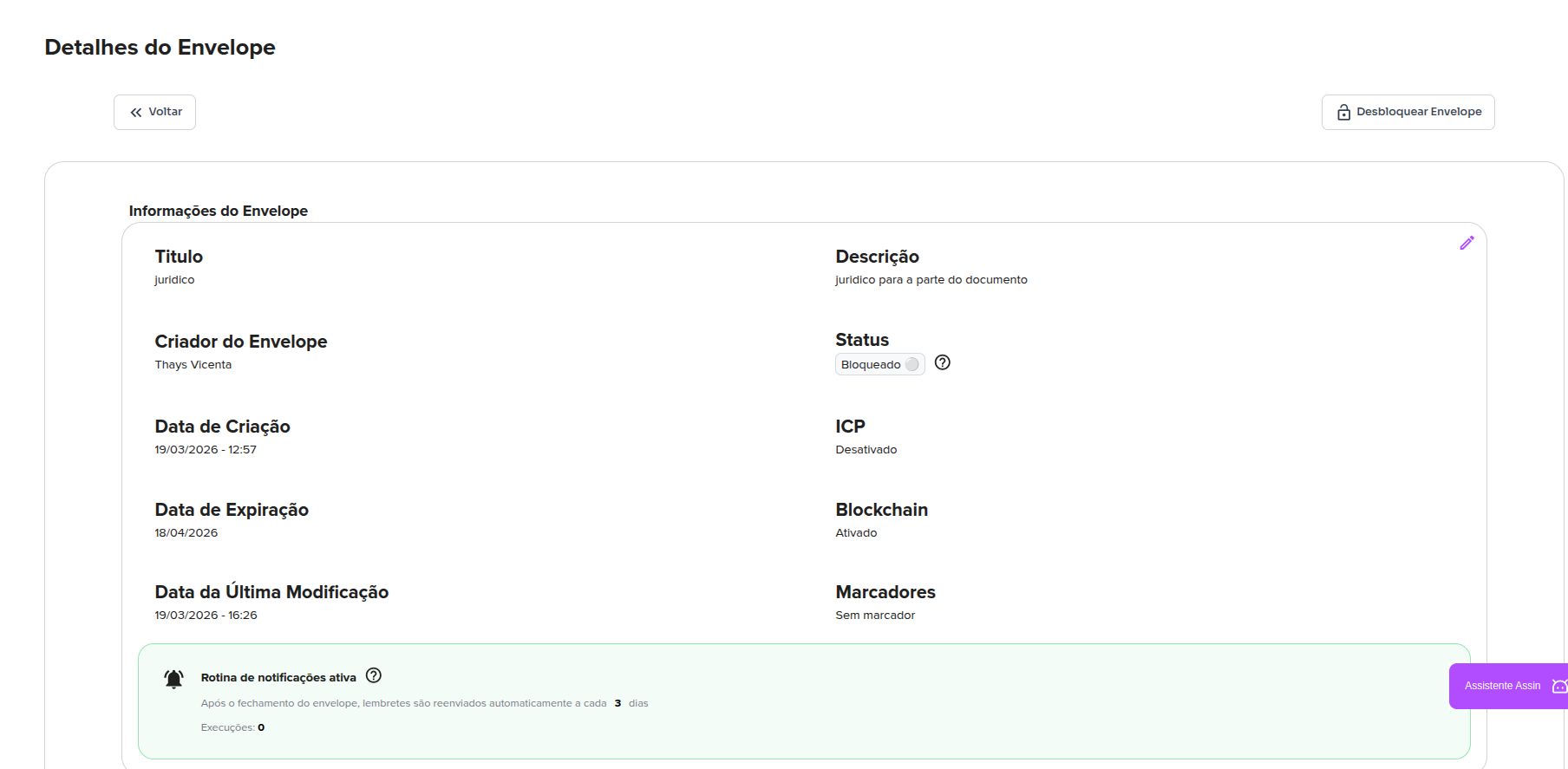
4. Once you finish editing, just click “Unblock Envelope”. The envelope signers will be notified and the changes made will be reflected for everyone involved. And that’s it!
For more information, visit our site https://assin.com.br/
See how simple Assin is?
Assin Digital Signature
Was this article helpful?
Thanks for your feedback!