


Cancel subscription
To cancel your subscription, just follow these steps:
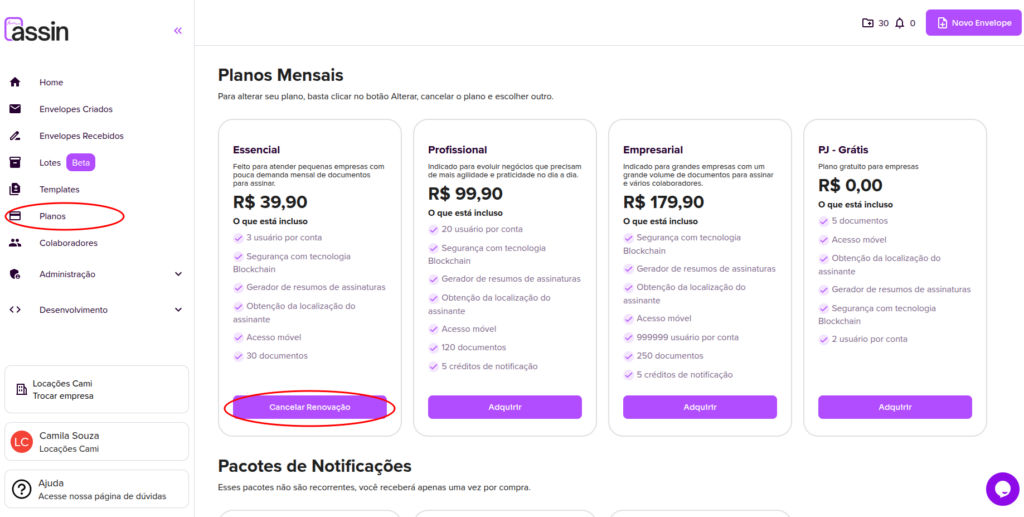
1. Go to the Plans page in the side menu.
2. On the plans page, find your plan and click the “Cancel Renewal” button.
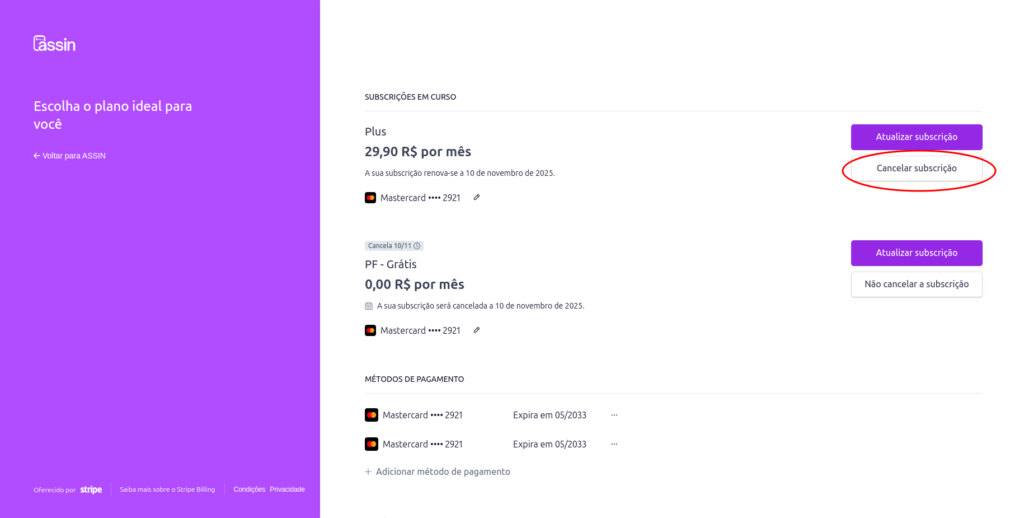
3. You will be taken to our payment manager page. Click the “Cancel subscription” button.
4. Confirm that you want to cancel by clicking “Cancel subscription”.
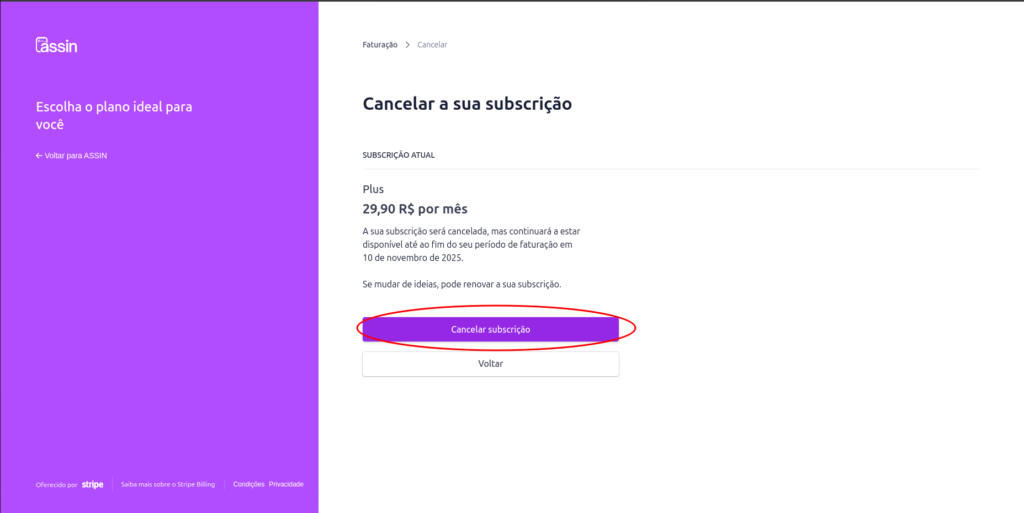
Done, your subscription has been canceled. The invoice will no longer be charged to your account.
Want to choose another plan? See the article Change Plan.
For more information, visit our site https://assin.com.br/
See how simple Assin is?
Assin Digital Signature
Was this article helpful?
Thanks for your feedback!