


Company dashboard
The Company Panel gathers the numbers of your signing operation in one place. It is visible only to company administrators and appears in the side menu as Dashboard.
Company only (PJ): This feature is not available on the individual account. See the difference in Using Assin as an individual.
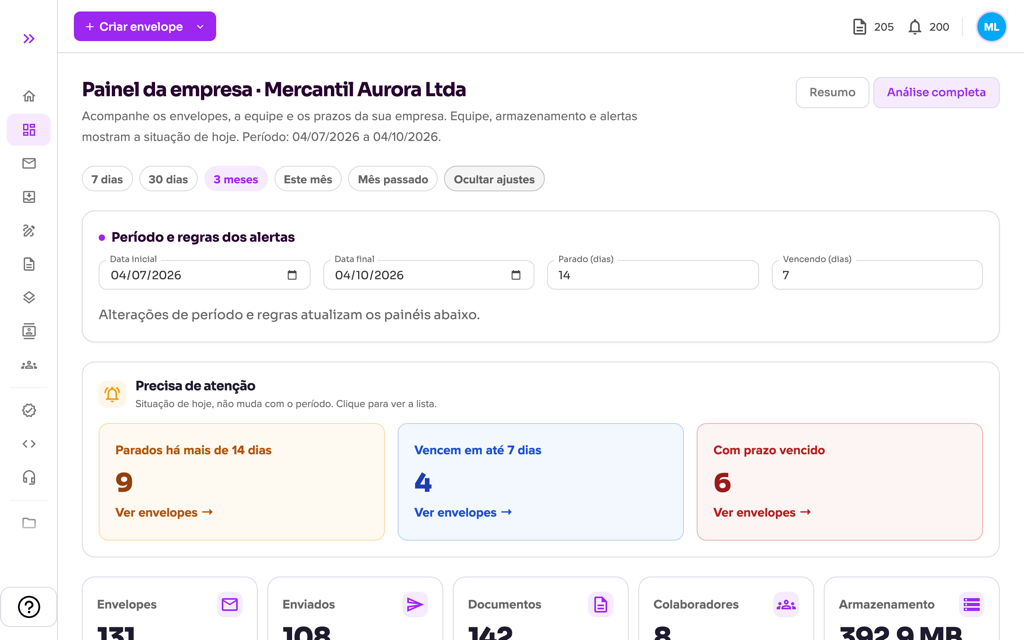
Period and alert rules
At the top, choose the period with the shortcuts (7 days, 30 days, 3 months, This month, Last month) or click Customize to enter the Start date and End date. Customize also holds the Stalled (days) and Expiring (days) fields, which define when an envelope enters the alerts. The whole panel (totals, chart, team, origin and performance) updates with the chosen period; the envelope alerts reflect today’s situation; the applied period appears in the page subtitle. The Needs attention block at the top lists stalled envelopes, those expiring soon and those past their deadline. The Summary and Full analysis tabs switch the level of detail.
What you follow
- Document metrics: number of envelopes, sent, documents in envelopes, collaborators and storage used.
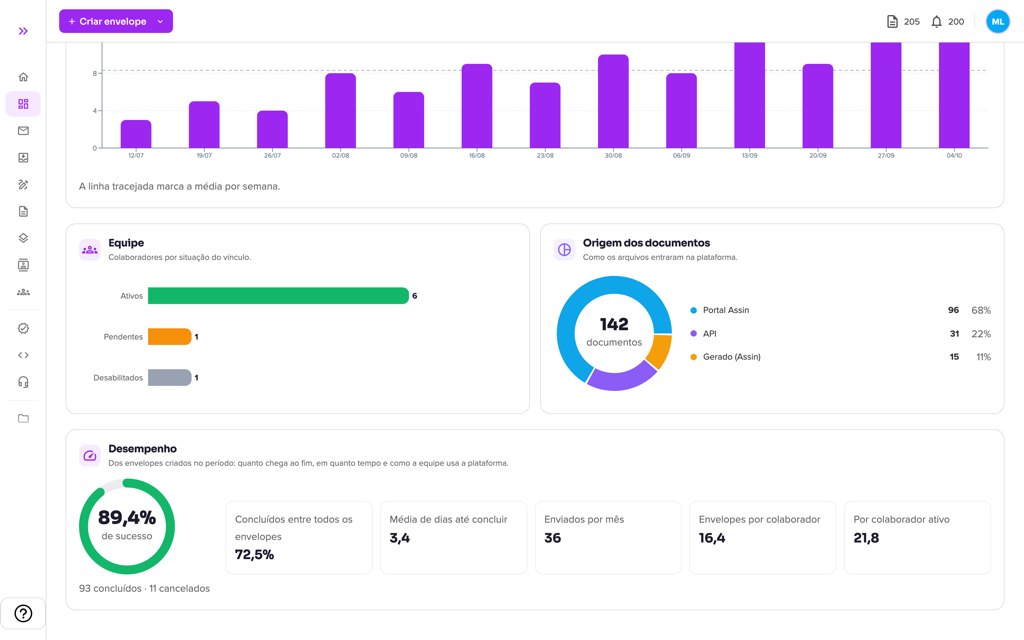
- Team distribution: collaborators by status (active, pending and disabled). See Collaborators and permissions.
- Document origin: how the files entered the platform (portal, API, generated by Assin etc.).
- Quick views: chart of envelopes sent by Week or Month, excluding drafts and canceled ones.
- Performance: of the envelopes created in the period, the success rate (completed versus completed plus canceled), the completion rate over all envelopes, the average days to complete, sends per month and envelopes per active collaborator.
- Alerts and recommendations: stalled, expiring and overdue envelopes that need attention. To chase the signers, use Resending notifications or the Overdue Signatures report.
For more information visit our website https://assin.com.br/
See how simple it is, Assin?
Assin Digital Signature
Was this article helpful?
Thanks for your feedback!