


Create account
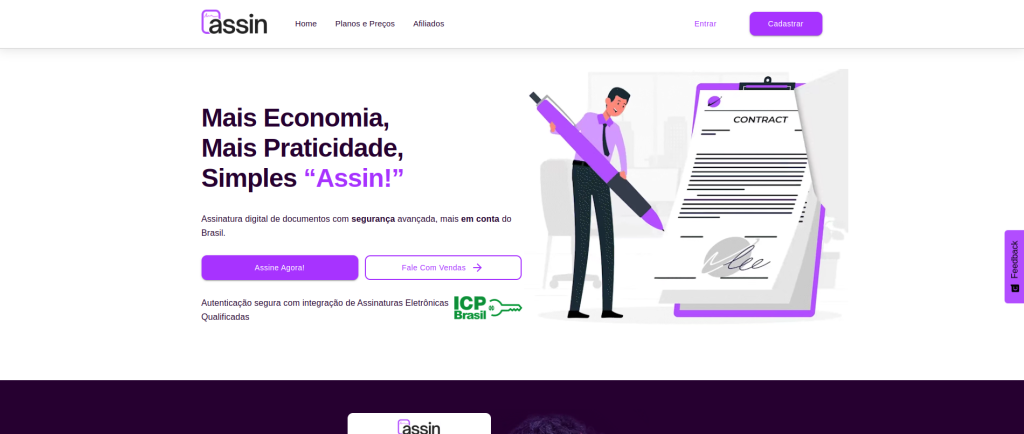
1. Go to https://assin.com.br and click on “Plans and Pricing” in the top menu or directly on the “Sign Up” button.
2. Select the plan by person type (individual or business) and the period (monthly or annual) and click the “Buy Now” button.
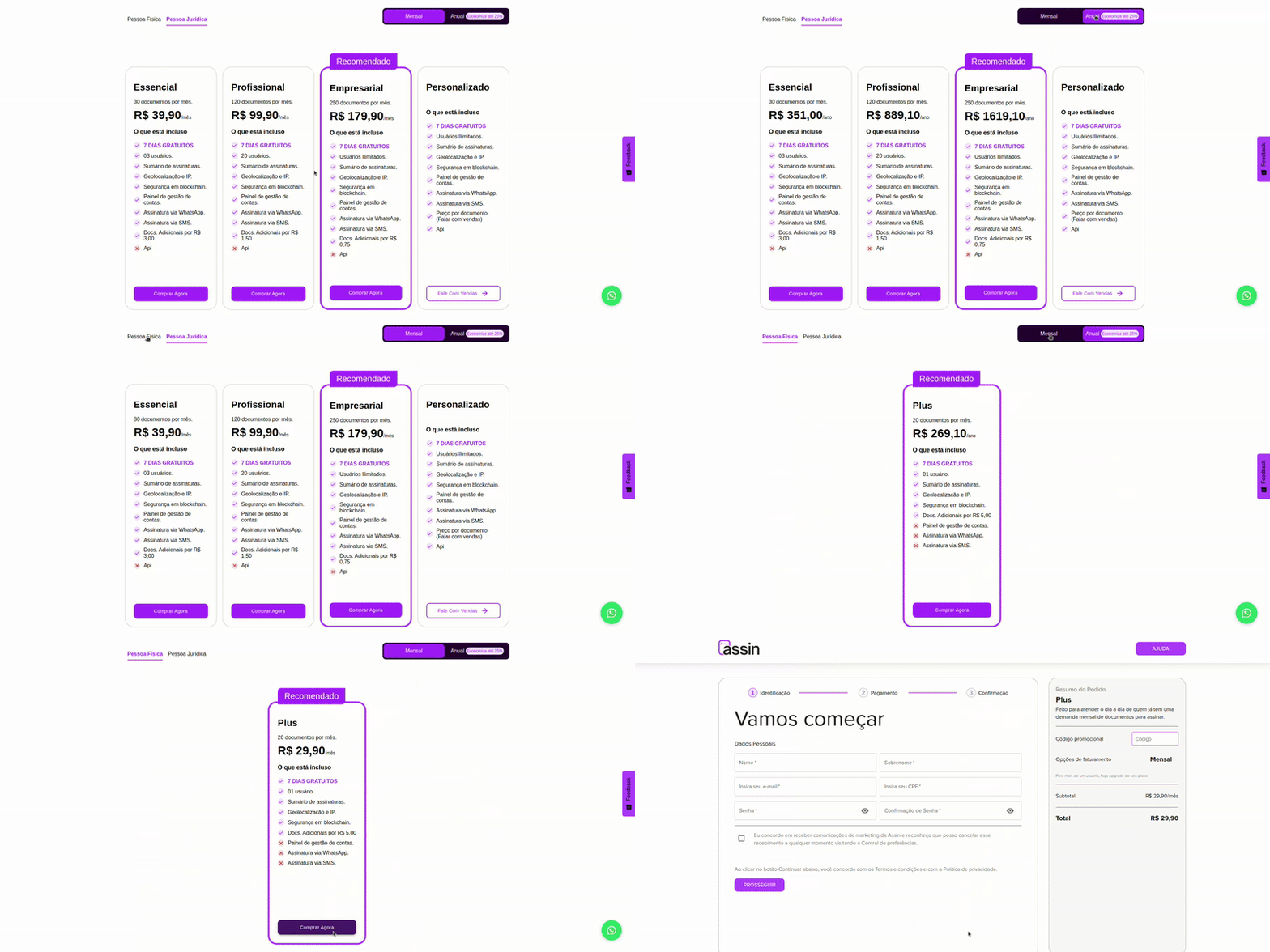
3. You will be redirected to the registration screen
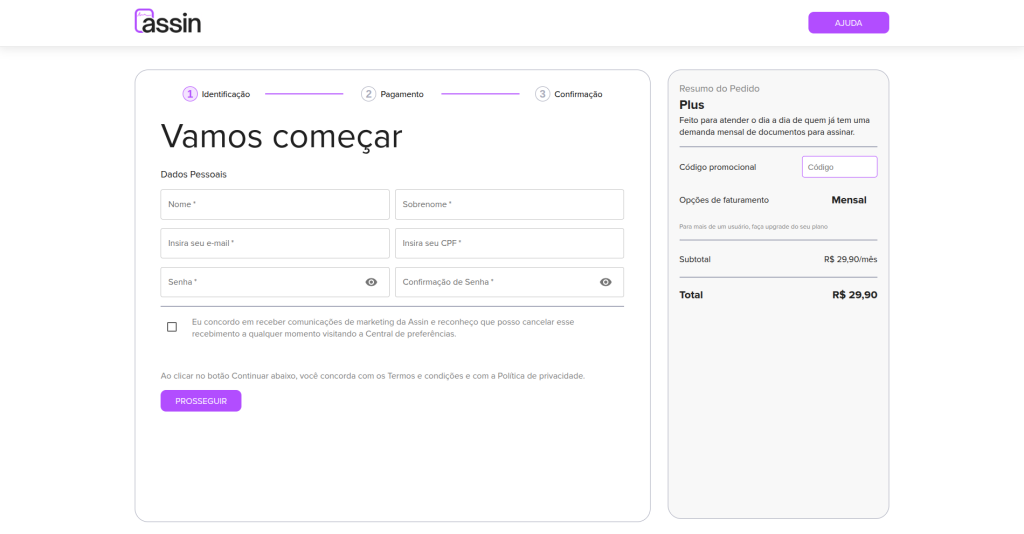
Individual Plan
3.1. On this screen, you need to fill in the fields as required and, if you have one, add your promotional code. The password must contain at least 8 characters.
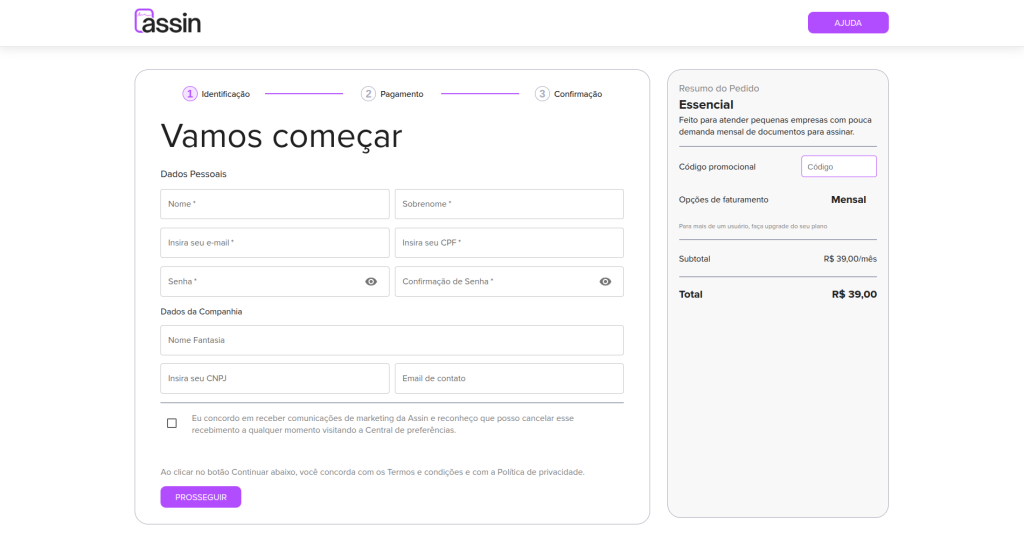
Business Plan
3.1. On this screen, you need to fill in the fields as required and, if you have one, add your promotional code. The password must contain at least 8 characters.
4. The next screen is for registering your payment method. Currently, our only payment method is credit card, with no installment option.
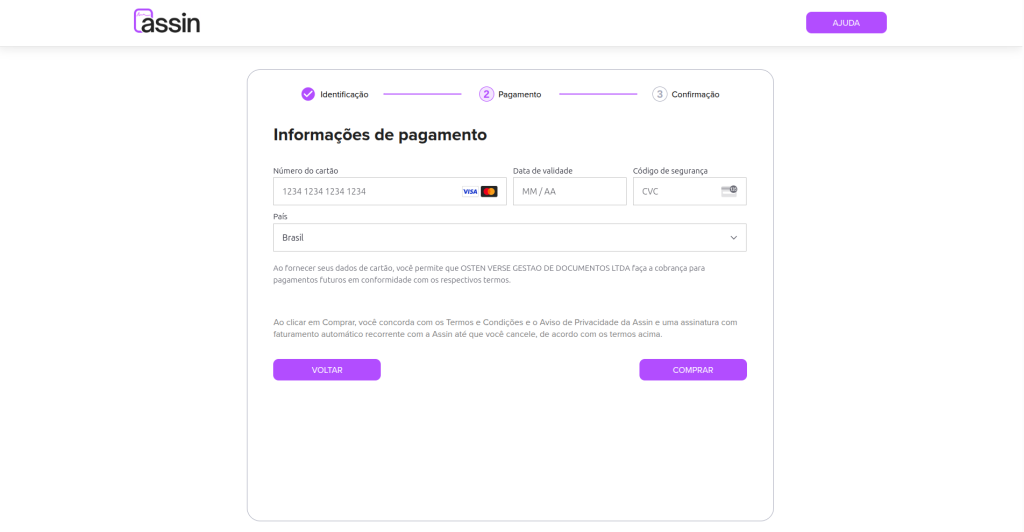
5. After correctly filling in all the requested information, you will be redirected to our purchase confirmation screen.
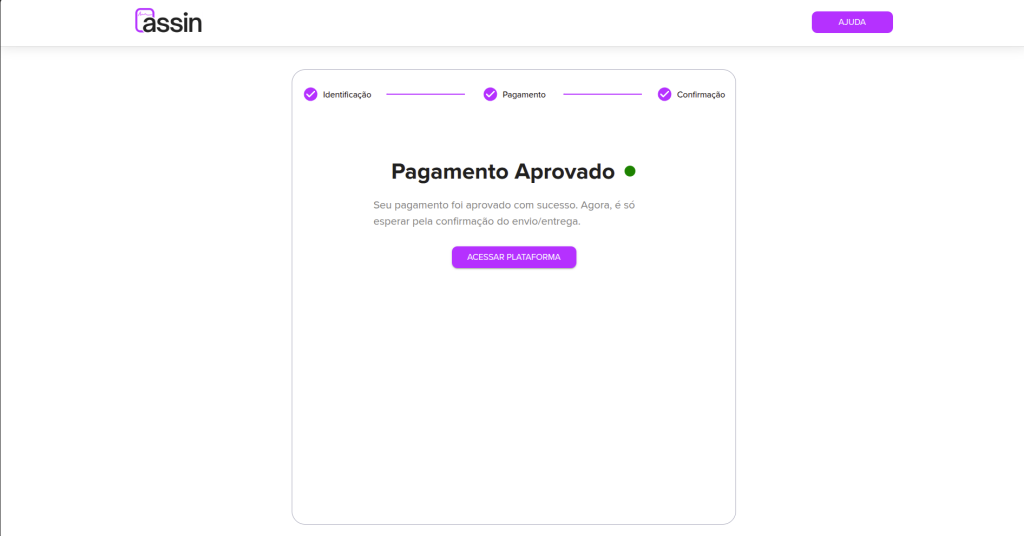
6. You can now access the platform and create your envelopes.
Check out our article about login: Login and also about creating envelopes: Create Envelope
For more information, visit our site https://assin.com.br/
See how simple Assin is?
Assin Digital Signature
Was this article helpful?
Thanks for your feedback!