


Create documents using Templates
If you always use the same document models, you can use templates to speed up your work. After creating the template, just upload the values for the registered keys and your document is automatically generated. Don’t have a template yet? See this article to learn how to create your template.
If you already have a template and want to generate a document from it, follow the next steps.
1. Look for the “Templates” item in the side menu.
2. In your template list, choose the desired template. You will see the “Template Details” page.
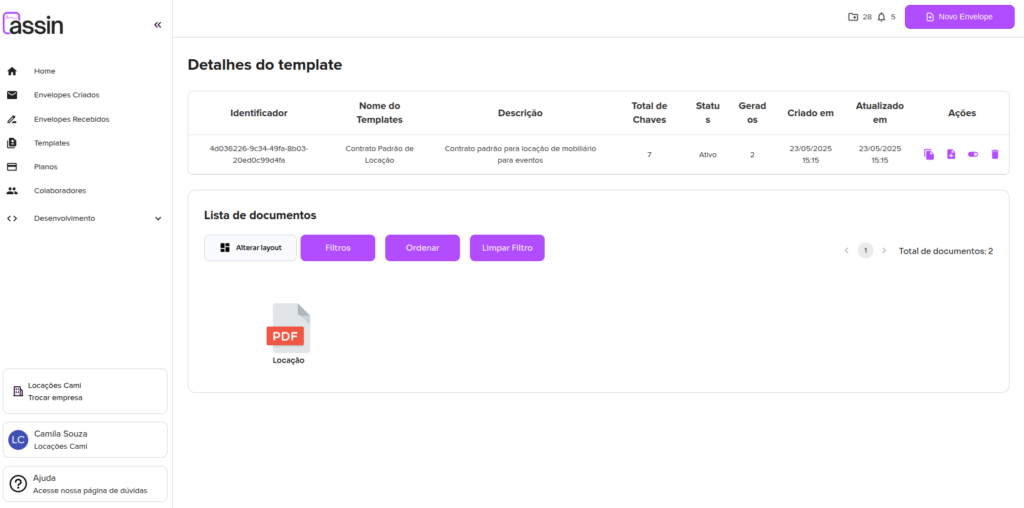
3. In the Actions column on the right side, click “Generate Document”. It is the second icon.
4. In the “Add Documents” modal, fill in the “Document Name” field.
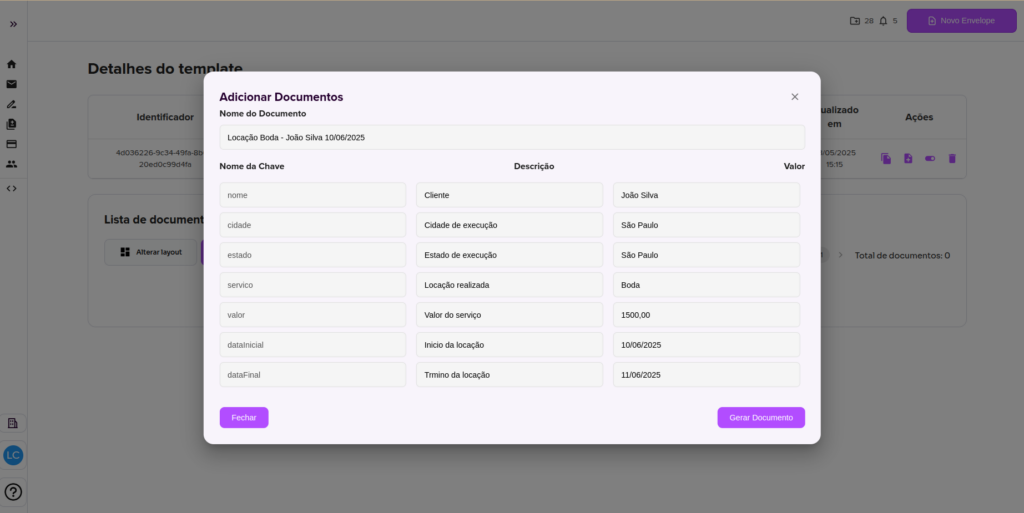
5. In the “Value” column, fill in the desired value for each document key.
6. Finally, click “Generate Document”.
7. Your document has now been generated with the provided values!
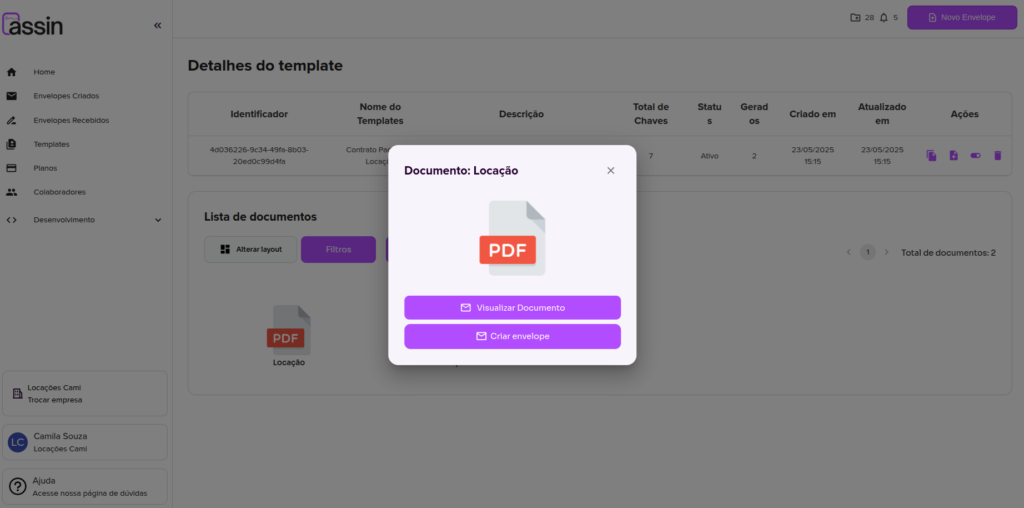
8. You can click “View Document” and download your document.
9. If you want to create an envelope with this document, close the modal and select this document in the document list. Click “Create envelope”.
Need information on how to create a new envelope? Visit this article and see all the details.
For more information, visit our site https://assin.com.br/
See how simple Assin is?
Assin Digital Signature
Was this article helpful?
Thanks for your feedback!