


Email validation: how does it work?
This is a measure to facilitate the identity confirmation of signers. It ensures that the person signing is truly the one to whom you sent the envelope. Please note, you need to know the email addresses of your signers. Through this identity confirmation, your electronic signature can be considered “Advanced” and gains more strength in the legal scope (learn more about the validity of electronic signatures here).
Email validation: How to request it?
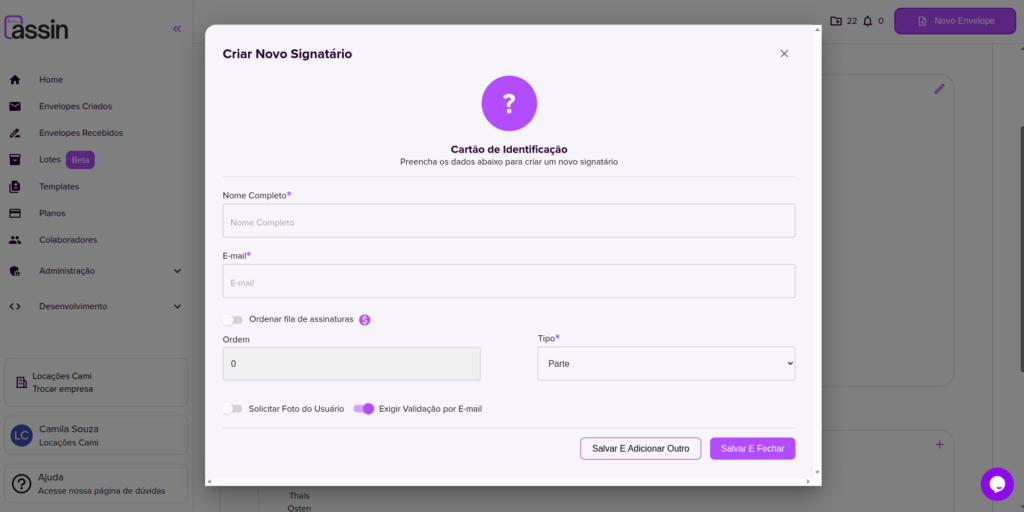
When adding a signer to your envelope, on the lower left side you will find the option “Require Email Validation”. Simply enable this option and at the time of signing the document, the signer will be asked to enter the token sent to their email.
Email validation: How to send the token?
Did you receive an envelope to sign and don’t know how to do it? Simply follow the steps described here. Was “Email Validation” requested during the process? Follow the steps below:
1. Click the “Email Validation” button to start the process.
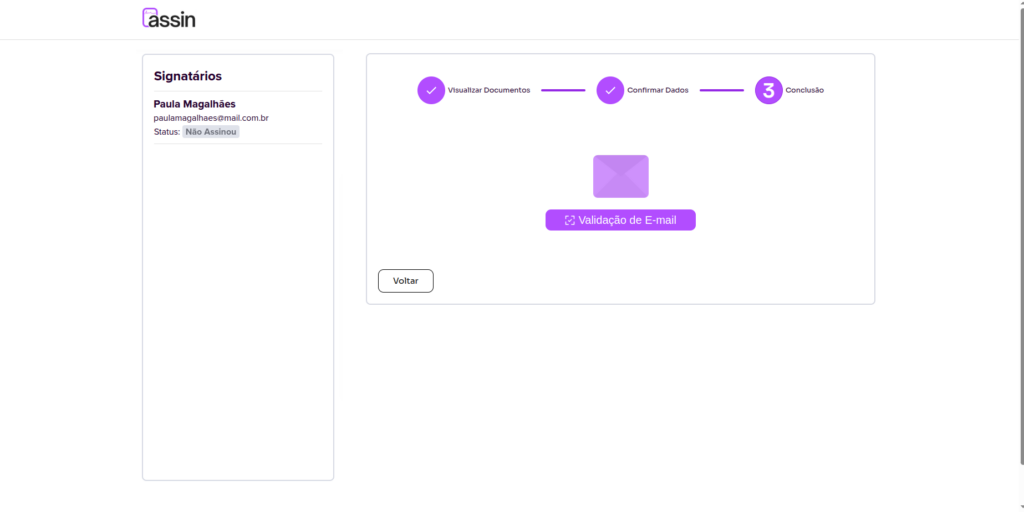
2. You will receive an email with a code. Copy this code and paste it in the requested field.
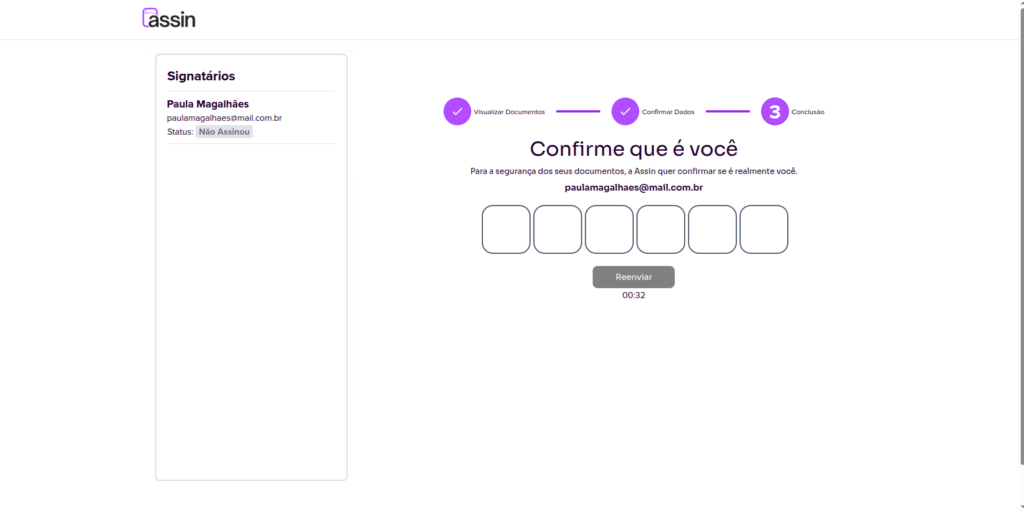
3. If you did not receive the token by email or it has already expired, click “Resend Token”.
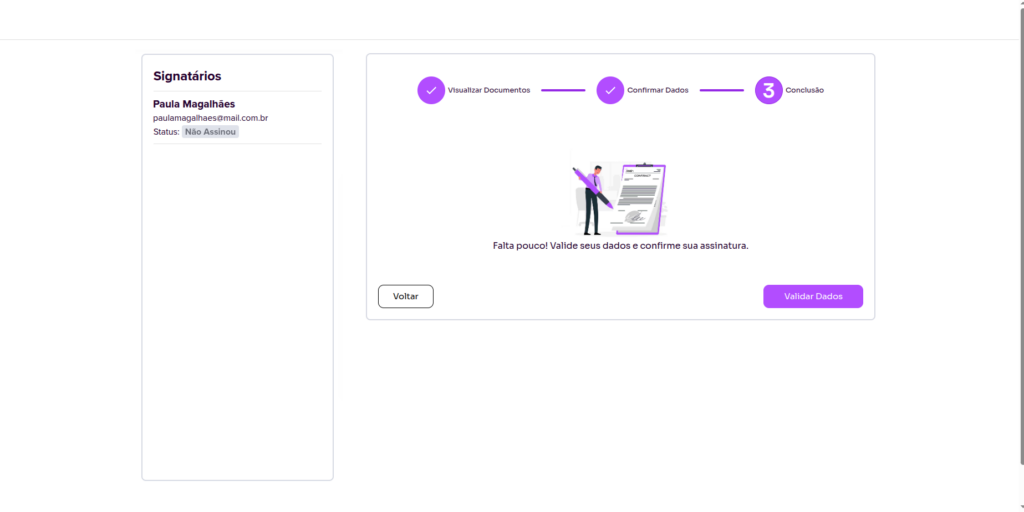
4. Done, your identity has been validated! Now just confirm the details to finalize the signature.
For more information visit our website https://assin.com.br/
See how simple Assin is?
Assin Digital Signature
Was this article helpful?
Thanks for your feedback!