


Resending notifications
Whenever you seal an envelope, Assin sends an email to the signers informing them about the signature request and providing a link to sign the document.
But what if the signer does not see the email or forgets to sign? In that case, you can resend the notification manually or configure automatic reminders.
Automatic notification resending
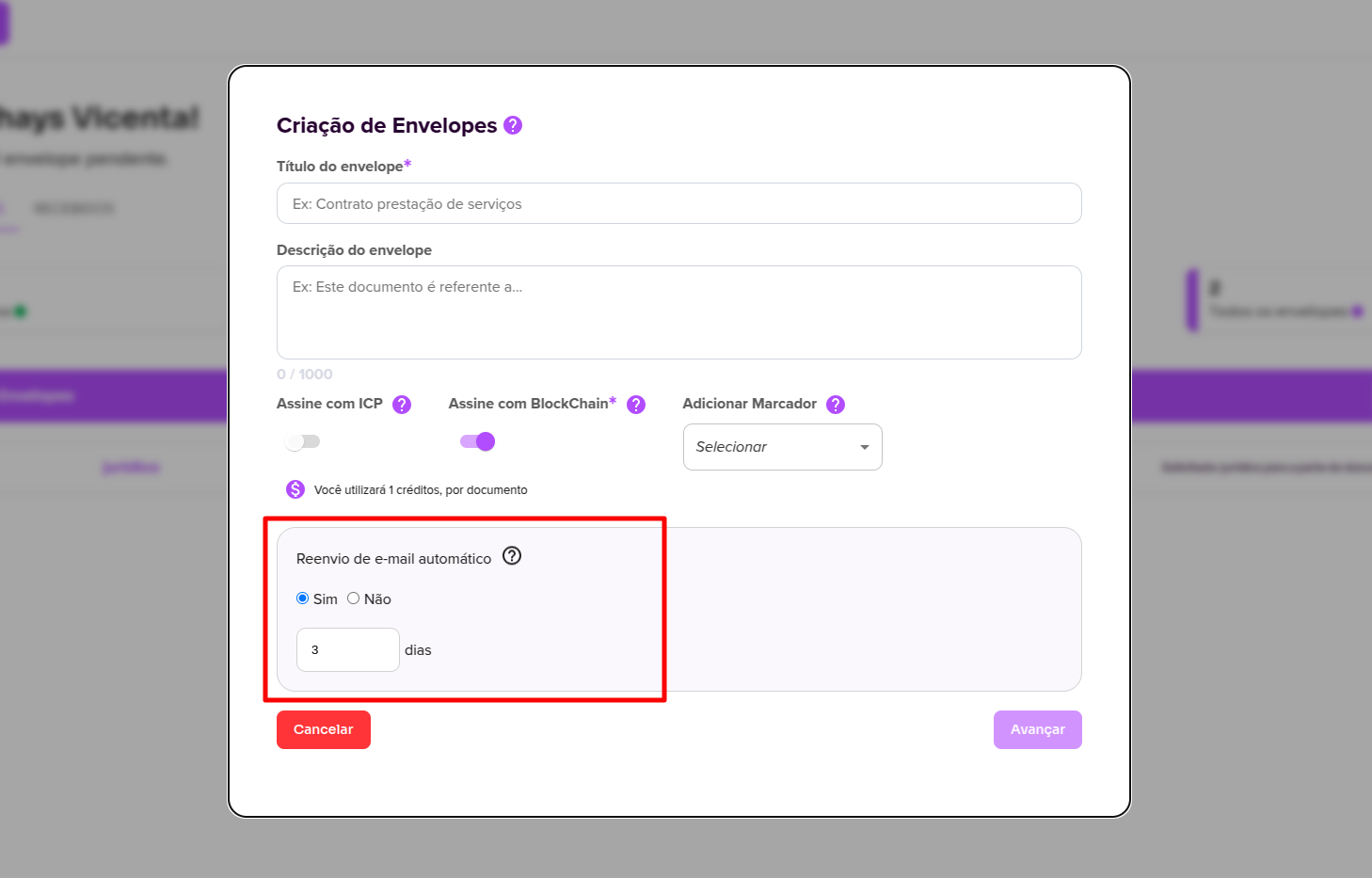
During the envelope creation process, you can enable automatic email resending.
When this option is enabled, signers will receive recurring reminders until they complete the signing process.
- If no interval is defined, emails will be sent automatically every 24 hours
- You can also define the resend interval in days
- The system sends a maximum of 10 automatic notifications per signer
After reaching this limit, automatic notifications will stop.
Manual notification resending
If needed, you can resend the notification manually at any time.
Notifications can be sent via:
- Email (free)
- SMS (consumes 1 notification credit)
- WhatsApp (consumes 1 notification credit)
Notifications help keep signers informed and remind them to complete the signing process.
How to resend a notification
Go to the envelope details page and select the signer you want to notify.
A window will open with the signer’s information, where you can also send notifications.
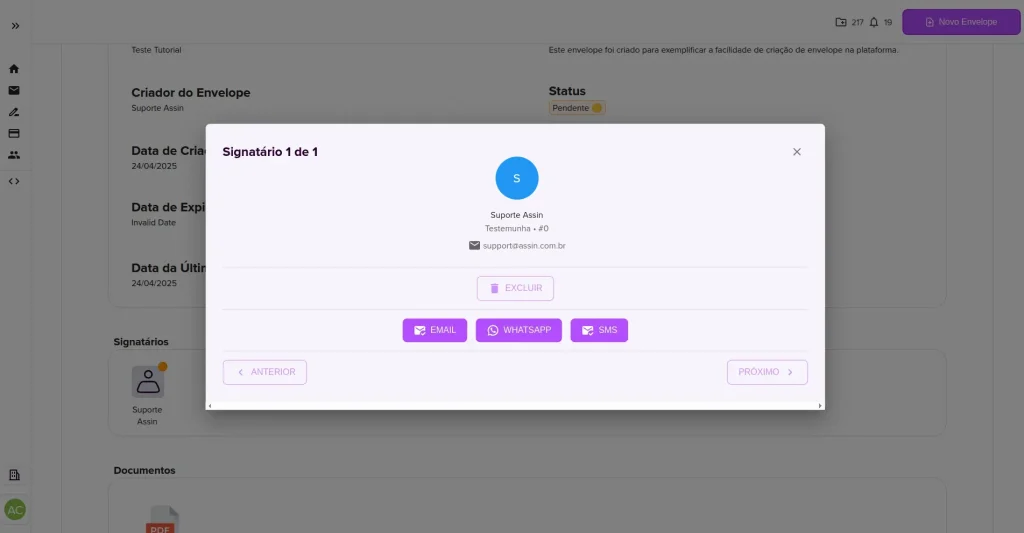
- Choose how you want to send the notification:
- Email (free)
- SMS
- If you choose SMS or WhatsApp, enter the phone number.
And that’s it! The notification will be sent again.
Manual resending can be done as many times as needed.
Sharing the signing link
In addition to resending notifications, you can also share the signing link directly with the signer.
This option is useful in urgent cases or when the signer did not receive the email.
Learn more at: How to share the envelope signing link
To learn more about notifications, visit: What is a notification?
For more information, visit our website: https://assin.com.br/
See how simple Assin is?
Assin Digital Signature
Was this article helpful?
Thanks for your feedback!