


Support: open, follow and rate a ticket
Needed help with an envelope or a charge, or have a suggestion? Open a ticket right in the platform and follow the conversation with the Assin team in one place.
Where it is
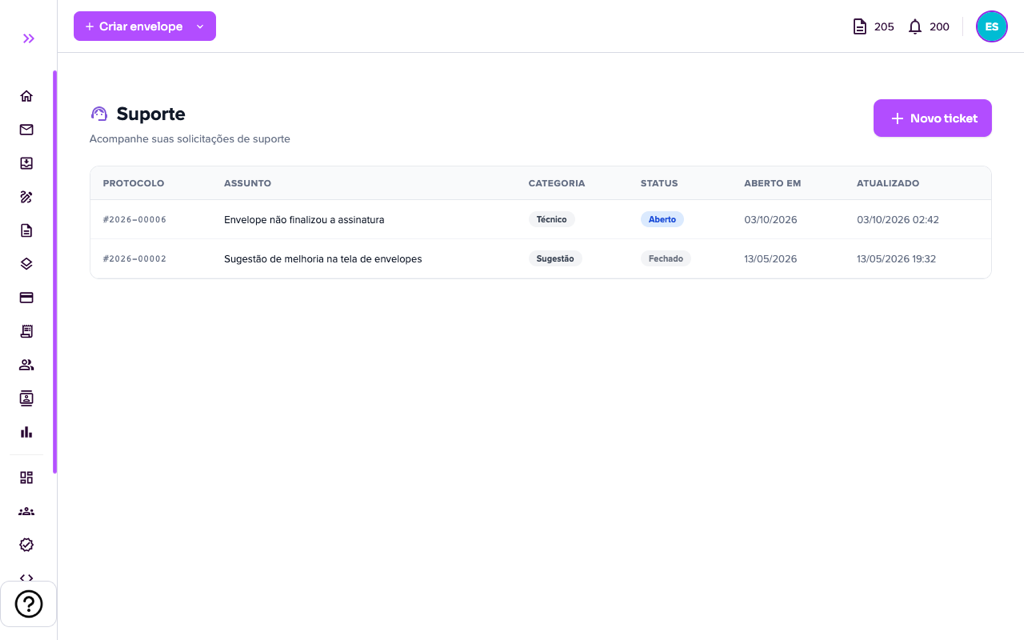
1. In the side menu, click Support. The screen lists your tickets with Protocol, Subject, Category, Status, opening date and last update.
Open a ticket
2. Click “New ticket”.
3. Fill in the Open new ticket form:
- Category: Financial (questions about invoices, charges or payments), Technical (problems with platform features), General (other questions or information) or Suggestion (ideas to improve the platform).
- Subject: summarize in a few words (up to 200 characters).
- Description: tell in detail what happened, the steps to reproduce and any error message that appeared. The more details, the faster we can help.
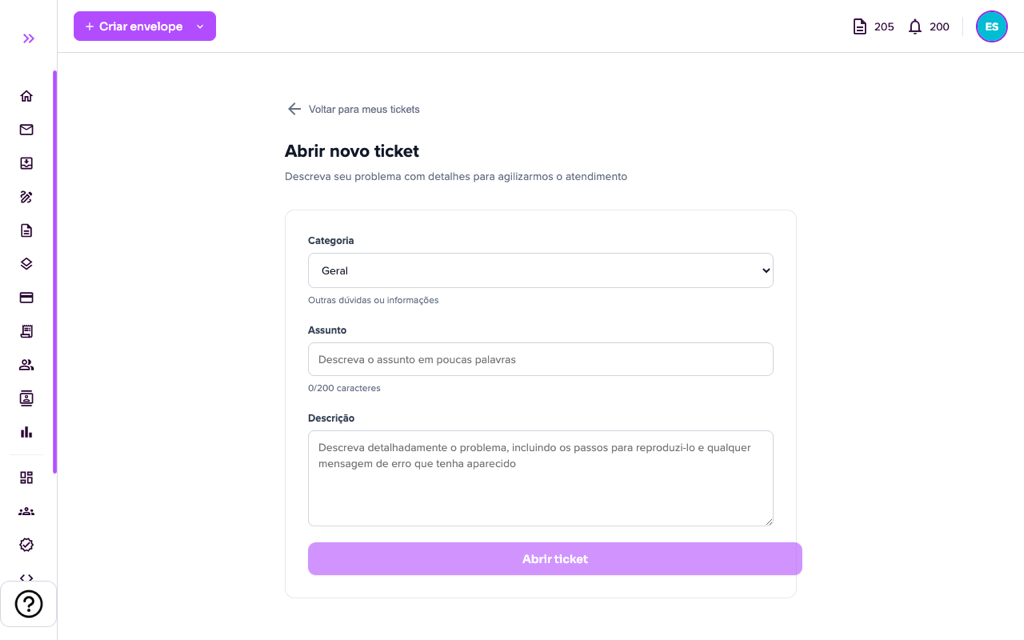
4. Click “Open ticket”. It gets a protocol number (for example, #2026-00006) and you receive an e-mail confirming receipt.
Follow and reply
5. Click the ticket to open the conversation. At the top you see the protocol, status, priority and category. Your messages are on the right (YOU) and the team’s replies on the left (ASSIN). When the team replies, you also receive an e-mail.
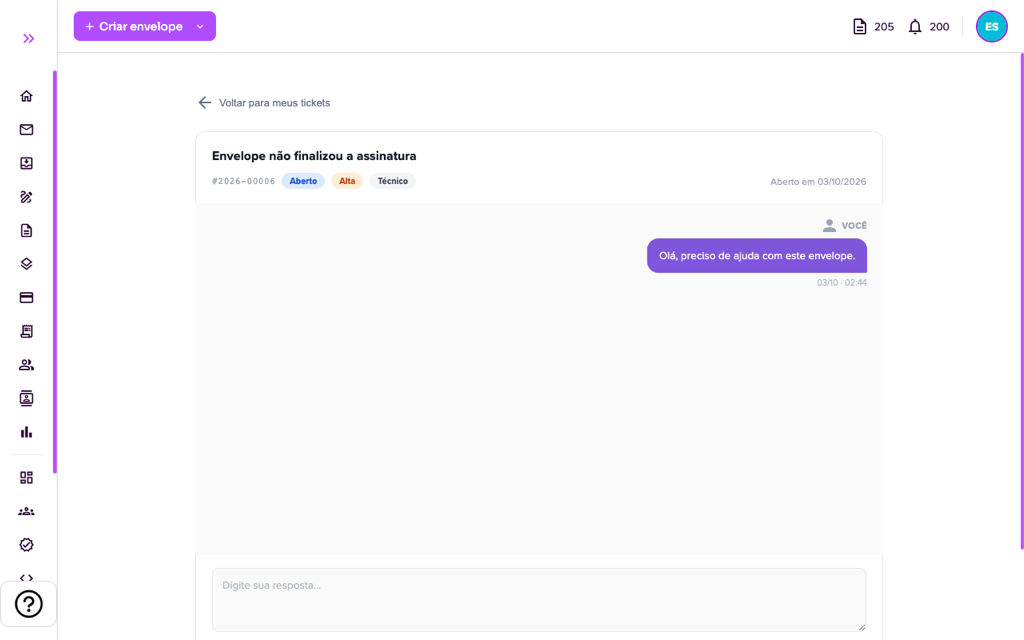
6. To reply, type in “Type your reply…” and click “Send” (or use Ctrl+Enter). The paperclip lets you attach files (PNG, JPG, GIF, WEBP, PDF or MP4, up to 10 MB each), useful to send screenshots of the error.
Ticket status
- Open: we received it and it is in the service queue.
- In progress: the team is working on your case.
- Waiting for you: the team asked for information. Reply so the service can continue. If there is no reply for a long time, the ticket may be closed automatically, and you are warned by e-mail beforehand.
- Resolved and Closed: the service is complete.
Close, reopen and rate
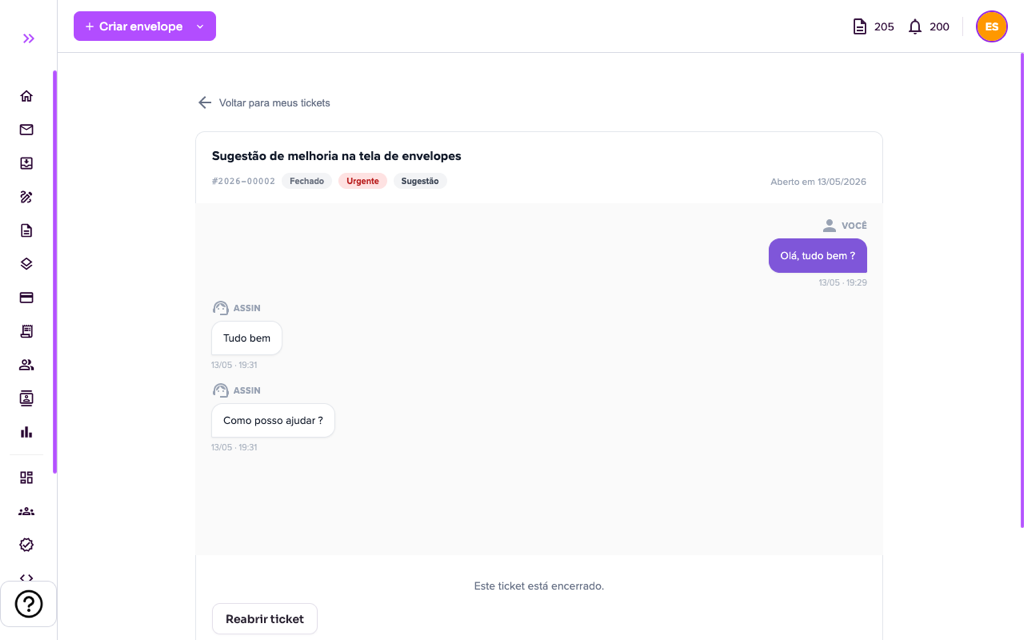
7. When the matter is resolved, you can close the ticket. Closed tickets show “This ticket is closed.” and the “Reopen ticket” button, in case the problem returns.
8. After closing, rate the service with the stars (“How do you rate the service received?”). You may also receive this satisfaction survey by e-mail. Your rating helps us improve.
Tip: before opening a ticket about an envelope, note its title and ID (shown in “Envelope information”). This speeds up the analysis.
For more information visit our website https://assin.com.br/
See how simple it is, Assin?
Assin Digital Signature
Was this article helpful?
Thanks for your feedback!