


Create templates
If you always use the same document models, you can use templates to speed up your work. After creating the template, just upload the values for the registered keys and your document is automatically generated.
1. Look for the “Templates” item in the side menu.
2. Click “Create Template” in the upper right corner.
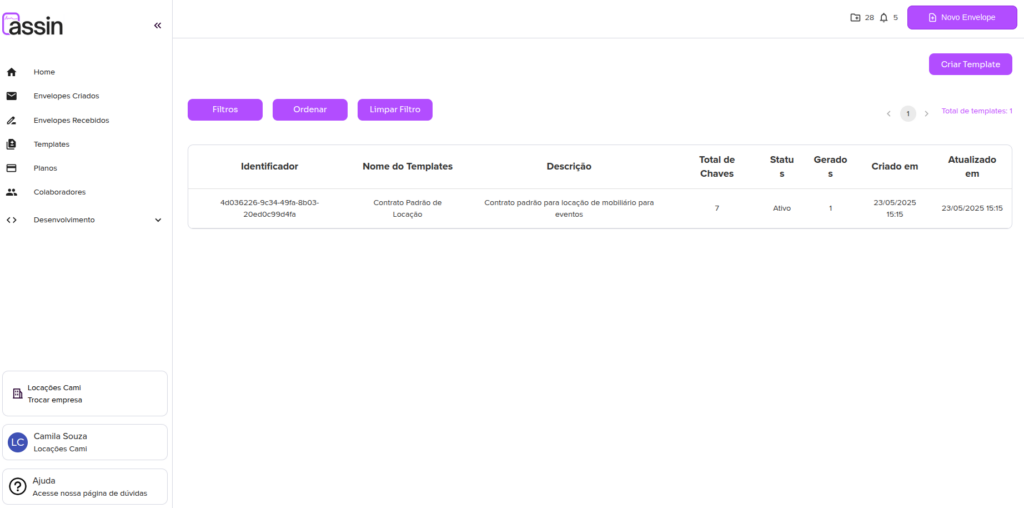
3. Fill in the template name and description.
4. Upload the model document. Fields that should be automatically replaced by the system must be enclosed in double curly braces, like {{example}}.
5. After uploading, the system will ask you to configure the parameters for each document key, with description and character count.
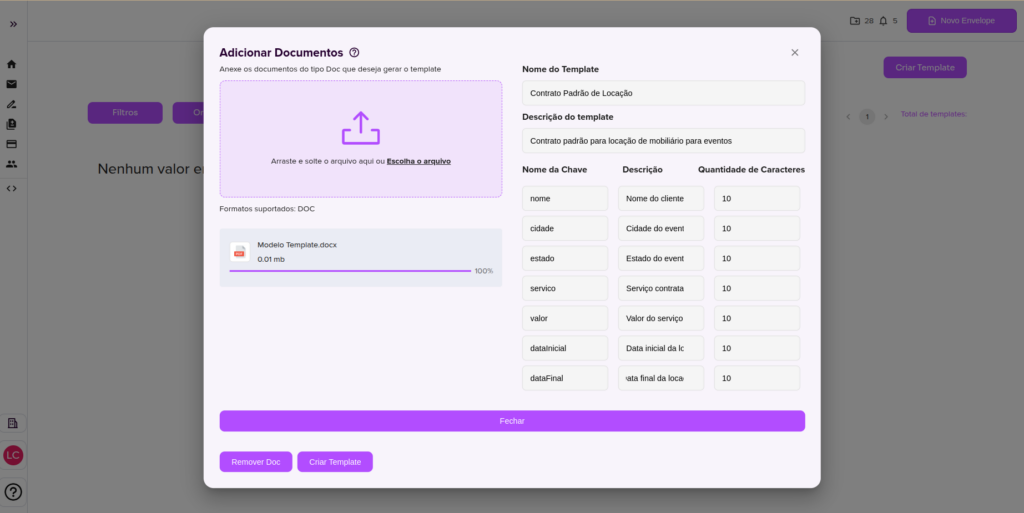
6. Click “Create Template” and you’re done! Now you can create documents through your template registered on the Assin platform.
Would you like to learn how to create documents through your template? Check this article and clear your doubts.
For more information, visit our site https://assin.com.br/
See how simple Assin is?
Assin Digital Signature
Was this article helpful?
Thanks for your feedback!