


Validate photo
Digital signature with enhanced security: now you can request a photo of the signer during the digital signature process. This feature adds an extra layer of verification, increasing security and reducing the risk of fraud.
Why use photo validation?
Especially in higher-value contracts or in processes that require a higher level of compliance, such as those in the legal, real estate, financial, or human resources sectors, this feature is extremely useful. With it, companies demonstrate their commitment to digital security without compromising the convenience of electronic signature.
How to request facial validation?
When you add a signer to an envelope, you can enable the “Request user photo” option. This way, the signer, in addition to filling in the required fields and signing electronically, will need to take a real-time photo with their phone or computer camera. This image will be automatically attached to the signature record and can be used as proof of identity, adding more authenticity to the process.
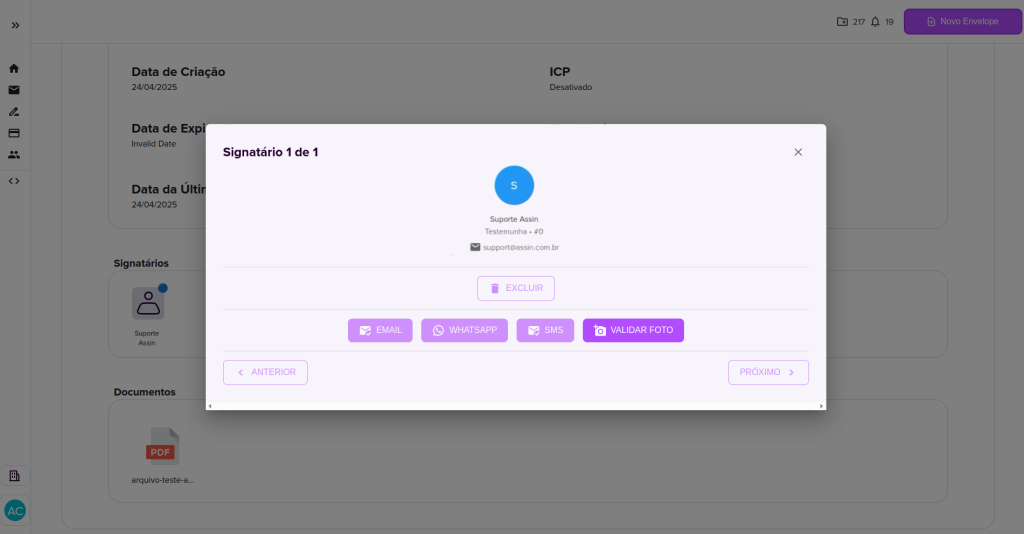
The signer’s status will change from pending (orange) to awaiting signature (blue), indicating that the photo still needs to be validated.
How to validate my signer’s photo?
1. For each signer who has signed the document and also taken a photo, you will receive an email called “Document Validation” with the signer’s name and a “Validate Image” button that will redirect you to your Assin account.
2. After accessing the envelope information page, click on the signer and then on the “Validate Photo” button.
3. On the next screen you must validate the photo, name, date of birth, CPF, and email of the signer. If everything is correct, click approve.
After the signer’s photo is validated, they will receive a confirmation email.
4. When you refresh the page, the signer’s status will change to green as approved and the envelope status changes from pending to processing and then to complete.
Now if you click on the document you can view it signed by selecting the “View signed” option.
You can find the envelope in the completed envelopes filter. For more information about envelope statuses, visit: Envelope signature status.
Check out this article on how to digitally sign with Assin: How to sign an envelope?
For more information, visit our site https://assin.com.br/
See how simple Assin is?
Assin Digital Signature
Was this article helpful?
Thanks for your feedback!