


Verify the authenticity of a document
Received a document signed through Assin and want to be sure it is genuine? Use the Verify document page. The check is free, consumes no credits and requires no login.
How to verify
1. Go to https://sign.assin.com.br/verify. Those already logged in to the platform also find the Verify document option in the side menu.
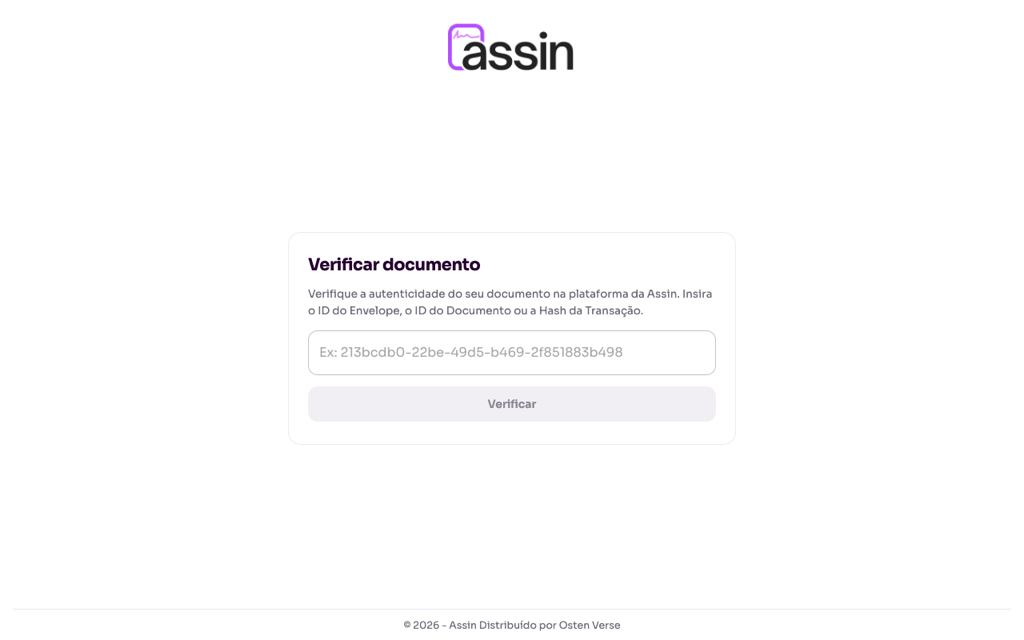
2. Enter one of these:
- the envelope ID;
- the document ID;
- the transaction hash registered on the blockchain.
You find these in the signature report (final PDF with the evidence trail) and in the envelope details.
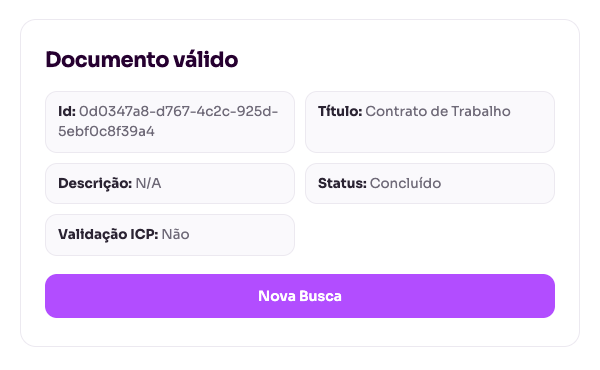
3. Click “Verify”. If the document is authentic, the page shows Valid document with the ID, title, description, status (for example, Completed) and whether there was ICP validation. Use “New Search” to check another one.
Why it works
Each signed document has a fingerprint (SHA-256 hash) registered on the blockchain and, when the envelope uses ICP-Brasil, the digital certificate as well. If the file is changed afterwards, the verification does not match. Learn more in What is blockchain at Assin? and What is ICP-Brasil?.
For more information visit our website https://assin.com.br/
See how simple it is, Assin?
Assin Digital Signature
Was this article helpful?
Thanks for your feedback!