


What is a notification?
Notifications are messages sent to envelope signers and can be made by email, SMS or WhatsApp. They serve to keep the envelope signers updated and informed.
Some notifications are sent automatically by the platform, such as when you seal your envelope. When an envelope is sealed, Assin sends an email to the signers: it informs them about the signature request and provides the link to sign. But what if the signer deleted the email with the link before signing? If necessary, you can send new notifications.
How to send new notifications?
1. Access the Envelope Information page and select the signer you want to notify. You will see a window with that signer’s information. Through this window you can also send new notifications.
2. Select how you want to notify your signer. You can choose between: email (free), SMS (consumes 1 notification credit) or WhatsApp (consumes 1 notification credit). To learn more about our notification feature, also visit: Difference between Credit and Notification Credit.
3. If you selected SMS or WhatsApp, you will need to add the phone number to send to. And that’s it!
How do I buy notifications?
Initially, when subscribing to any of our plans, you already get 5 notification credits (note that notification credits are not the same as credits). You can check the number of available credits in the top bar of the Assin platform, on the right side.
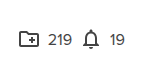
The first icon, which looks like a folder, indicates the number of credits available in the account. These credits are consumed for certain actions that directly involve envelopes and documents, such as sealing an envelope, for example.
The second icon indicates the number of notification credits available in the account. These credits will be consumed for actions involving notifications, such as sending a document for signature via SMS. Each time you notify a signer by SMS or WhatsApp, 1 notification credit is consumed.
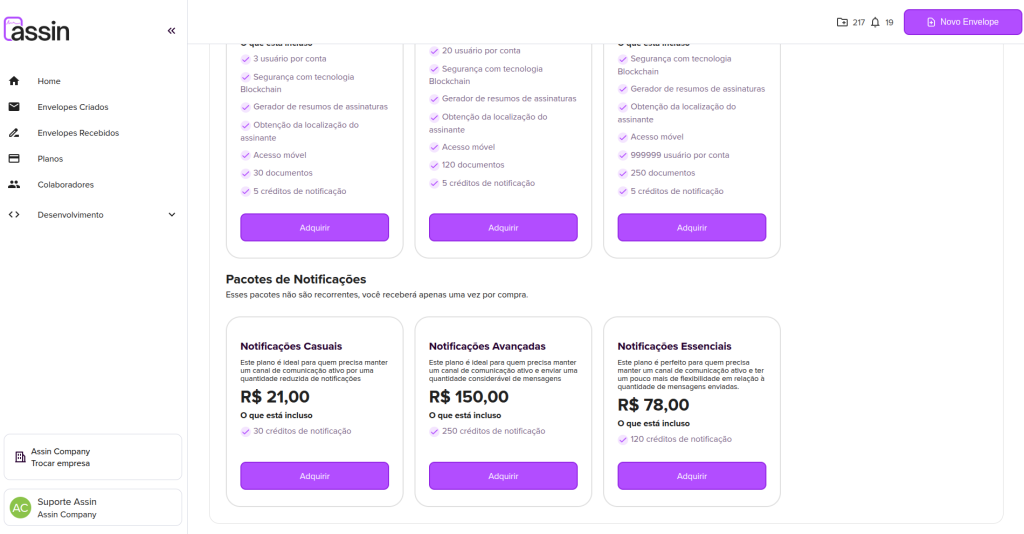
Can’t send notifications anymore because there are no more notification credits? Don’t worry, just access the “Plans” option in the side menu. There you will find our individual notification credit packages, and you can choose the one that best fits your needs. After confirming payment, just go back to the platform and refresh the page, your notification credits will already be accounted for.
To learn how to resend notifications to signers, visit: Resend notification
For more information, visit our site https://assin.com.br/
See how simple Assin is?
Assin Digital Signature
Was this article helpful?
Thanks for your feedback!